Business

Ensuring Quality in the Industry of Medical Devices

unsplash-image-cQ8FfVNvbew.jpg

Any business that is involved in production understands the difficulties in ensuring a high level of quality, especially when mass producing a product. Even well-established corporations such as Tesla have experienced inconsistencies in their manufacturing of their various models of electric cars. While a manufacturing error looks bad on a business, there is one industry in which a manufacturing error could be deadly. This industry is the medical devices industry. Medical devices range from personal protective equipment to ventilators, a machine responsible for keeping a patient alive. 

The definition of quality as stated by the International Organization for Standardization (ISO) is “the degree to which a set of inherent characteristics fulfills requirements where a requirement is a need or expectation.” 

unsplash-image-LPurJnihmQI.jpg

For medical devices, quality assurance is held in the highest regard throughout every stage of the manufacturing process. The vast majority of these medical devices have a designated group whose sole purpose is to ensure that the equipment meets or surpasses the required regulations as outlined by the specific manufacturer. Given the importance of a medical device, the manufacturers and quality inspection team are held to the highest level of accountability to ensure that no faults in the machinery slip through the cracks of production. 

The practice of automated production of medical devices is governed by GAMP5 (Good Automated Manufacturing Processes) which falls under the title of the International Society for Pharmaceutical Engineering. 

unsplash-image-NFvdKIhxYlU.jpg

Additionally to the numerous regulations and procedures that a manufacturer is required to follow, bookkeeping is an essential aspect of ensuring accountability. Device History Records (DHR) manage the complete records of manufacturing, design, and testing of medical devices. It is a policy that the DHR is to be signed at each stage of manufacturing and this, in turn, provides a complete overview of the effectiveness of the product before being sold and operated. 

For the latest news on everything tech and business-related, visit ISU Corp.


iForm - What you Need to Know

download (1).png

iForm is one of many online platforms that enable businesses to access an overview of their company-wide performances and operations. While it is a growing market, iForm was the first of its kind and has opened the door of possibilities for other developers. 

iForm has seen a great amount of success because it is a perfect demonstration of the capabilities that come with modern technology. Operating platforms such as this are used to increase the efficiency of an organization’s overall performance by giving management greater access to information and allowing them to cut costs in other areas. 

ew0KICAiYnVja2V0IjogImVlLWZpbGVzIiwNCiAgImtleSI6ICJmaWxlcy8zODI1L2ltYWdlcy82OTgxMi82OTgxMl80XzIwMjAwNTE2MTMxMDE0MTU4LmpwZyIsDQogICJlZGl0cyI6IHsNCiAgICAicmVzaXplIjogew0KICAgICAgImZpdCI6ICJjb250YWluIiwNCiA.jpg

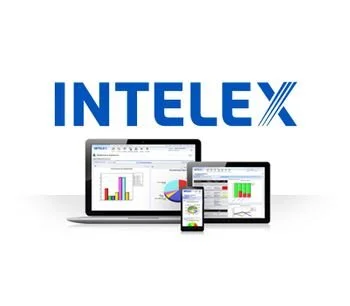
The primary function of iForm is to go hand in hand with Intelex, an operating system that has been adopted by many corporations in the energy and medical industries. To give a practical example of its functions, an oil company that operates pipelines can apply various sensors to a pipeline that will monitor the overall health and structure of the pipeline, notifying the operators if there is a leak. In this particular case, the operating system protects the local environment while simultaneously saving the company money. 

Operating systems such as iForm are just the latest innovation in a global industry that is exponentially growing. 

For more information on the latest in the world of software development, contact us!


The Pros and Cons of Customized Software VS. Off The Shelf

What do you think is the better option? 

Users want to stay successful and expand their businesses. The way you handle and process data is critical to achieving these goals. This is where software customization enters the picture.

It can be difficult to choose the best program to incorporate into your business. There are literally hundreds of options available, each promising quality, development, and expediency.

So there's no reason to be intimidated by the possibilities. The judgment would be obvious if you take the proper approach.

Step 1: Identify the type of Software that will best suit your business 

unsplash-image-OtHEYbQXLFU.jpg

The easiest way to start assessing your criteria is to figure out what the company wants and how you can give it an advantage. Innovation should still guide business, not the other way around. Without this forethought, technology will drive the market.  

Use these points to develop a picture: 

  1.  Establish the benefits and distinguishing characteristics that set your company apart from the competition.

  2.  Interview employees and core partners to see what they think of the applications they use.

  3.  Determine which processes to make the most of the variations and how apps can help.

  4. Brainstorm ideas about tech applications and invite people who know what they're talking about to express their opinions.

Step 2: Define what is required to move forward

unsplash-image-v2Jf_jpNamc.jpg

If the needs have been identified in phase one, the development of the flows, procedures, and systems requirements will fall into place. These should be recorded and decided upon.

Here are some questions to guide you in identifying those needs:  

  1. Are our procedures consistent and easy to transition from one department to the next?

  2. Are you being honest with your clients?

  3. Are you running quickly enough to keep up with your competitors?

  4. Do you have problems with more than one kind of software?

  5. Is it possible to save resources by automating those processes?

Step 3: Researching off-the-shelf software options

unsplash-image-40sBJy5cCMY.jpg

Given a clear understanding of what the business requires and desires, it is possible to decide which software, or set of software, should be used to run the company.

Usually, there are two choices to consider:

  1. Off-the-shelf pre-built applications 

  2. Custom build developmental software

Customized Software In Comparison to Off The Shelf 

unsplash-image-JVD3XPqjLaQ.jpg

Off-the-shelf software applications are pre-configured software that can't be changed much. Microsoft Word, Salesforce, and QuickBooks are examples of such applications. Those systems are guided by a certain reason and prefer to do what they do best. These devices have a lot of features, which is awesome if you use them correctly. Otherwise, they could be overly complex for the true business need.

So here are some Disadvantages & Advantages for Off-the-Shelf Software

Disadvantages: 

  1. Delay to adapt or adjust in response to changing market needs

  2. If the feature request does not support a broader user base, it will be overlooked

  3. There may be consumer, purchase, or other costs that make scaling expensive

  4. It's possible that you'll have to alter the workflow to accommodate the app

  5. Customization costs are higher (proprietary software vendor)

  6. It's possible that they'll use vocabulary that's not the same as yours, requiring you to learn a foreign language 

Advantages: 

  1. There is no hardware or applications to install while using software-as-a-service (SaaS)

  2. It is easier and faster to deploy

  3. Many features, often more than you want

  4. Support is sometimes included or may be added as part of a maintenance agreement

  5. For help, there are user groups and forums

  6. Upgrades can be offered for free or at a discounted rate

Custom Software Development: 

unsplash-image-jqD8bSQY6Ic.jpg

Your company's demands are always special, and off-the-shelf apps cannot satisfy them. Custom product architecture makes a lot of sense in this situation.

Custom software developers are always willing to provide you with a rough estimate for a custom build.

So here are some Disadvantages & Advantages for Custom Software Development: 

Disadvantages: 

  1. Both demands for updates and new features will be billed

  2. High start-up costs

  3. Additional expenses can be incurred as a result of hiring new developers

Advantages: 

  1. A one-of-a-kind solution with the ability to have a competitive edge

  2. Typically, there are no additional fees for unrestricted users and transactions

  3. It is possible to make changes easily

  4. Complements the company's lingo

  5. It's possible to customize it to your own company needs and processes

  6. You can begin with the most basic specifications and expand later. It's possible that less is enough

It is a widely held belief that custom work is often more costly than off-the-shelf work. Although this may be true for many customer systems, many business systems, such as SAP, cost millions of dollars to set up and deploy. Customers often use these programs but only use 5% of the features while custom development will provide them with all they need at a fraction of the cost.

The Hybrid Version of Software Solutions

unsplash-image-F_m44ut3XTw.jpg

The hybrid approach usually entails customizing an existing piece of software and source code access to meet your specific market requirements. This will be an application that has the majority of the functionality required by the company but needs to be tweaked to satisfy particular requirements.

Through this way, a company would get the best of both worlds: a solution that is fully tailored to their needs but still exploiting existing features.

In terms of tech, the possibilities are endless. It's easy to get overwhelmed and perplexed. However, if the business's requirements are apparent, selecting the appropriate program becomes even simpler and clearer. 

Now that you are able to clearly differentiate the advantages and disadvantages of customized software and off-the-shelf software.  Let us help you create a customized software solution today, contact us!