


Business

HOW TO BUILD A BASIC MOBILE APP IN 2020

Globally, companies have been exploring the app creation world for a while now. Especially since we rely so heavily on our mobile devices, so focusing on building an app is a beneficial marketing ploy.

Building apps is an excellent way for brands to create interaction with their target audiences.

Nowadays, the competition for app creation is prominent. Based on statistics retrieved from the beginning of 2020, Android users were able to narrow their app library down to 2.56 million apps, which made the Google Play store have the most available apps, and the Apple app store was the second largest app store with nearly 1.85 million available for iOS.

Applications can generate revenue in several methods, one being having a small charge for the app to initially download it or have in-app purchases within it.

Now what is Mobile App architecture, and why does it benefit app creation?

With any process, especially when creating a mobile or web application you should assure that every component is built correctly. Problems will arise all the time, even very minor ones during the process of developing a mobile app architecture, which can often underestimate the final result.

We say all the time “if you want to do something, do it well,” and because of it this is why there are so many successful highly reliable and reputable mobile app architectures for Android and iOS.

In short, mobile app architecture is several structural elements and interfaces curated for each individual system created. It is commonly known for being the base framework of a program, and the overall function of a mobile application depends on the quality. If a component is missing it is possible that your entire project could be jeopardized.

With everything that needs to be planned out, mobile app architecture is no exception, it takes many attempts to make sure the architecture is correct and can run independently all external resources. Any project that is running on iOS or Android were created by manual labour of developers and should not be utilized as a base for other projects.

Architecture should NOT rely on the source of a library. Your mobile application architecture design should not be exposed to additional systems or databases, it should be able to function no matter the status of other programs.


What is Android Mobile App Architecture?
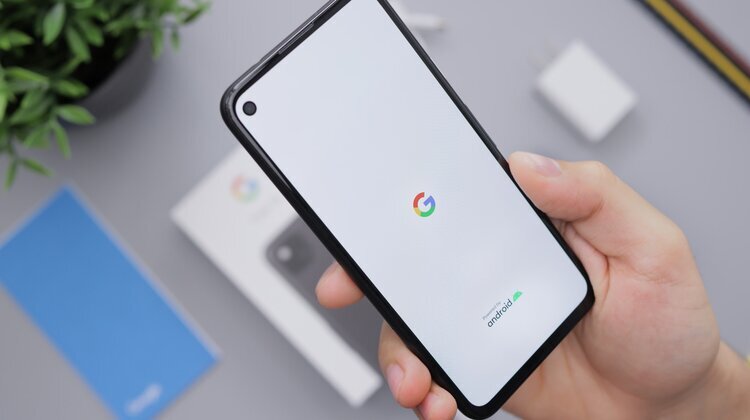
image.jpeg

Previously, developers had never had access to libraries that were integrated to the network. AsyncTask, is crucial for Android app creation.

Today, Clean Architecture has been created and implemented into android app creation, and currently is the best solution for a reliable operation. With clean architecture it gives you the ability to build free of frameworks, databases, and more.

The transitions with Android mobile app architecture are portrayed through Boundaries. Which offers two interfaces: one for request and one for answer. These are necessary because they are the base layer that doesn’t rely on the outer layers.

In order for a dependency in an Android mobile app architecture the principle of dependency is inverted and applied.


What is IOS Mobile App Architecture?

iOS app architecture is actually slightly easier to understand, as it is broken down into four categories:

1. Kernel Level (Core OS) – uses the file system and controls the validity of certificates for applications.

2. Core Services (Core Service) – provides access to databases and file controls.

3. Media Level (Media) – contains tools for processing most media data

4. Interface Level (Cocoa Touch) – uses most elements for creating mobile interfaces

A Massive View Controller, otherwise known as MVC, takes prototypes and uses them to develop high quality iOS mobile app architecture.


Here are some key tips for Mobile Application Architecture:


Any and all applications it is required that each one has a great design. Utilizing architecture will help you save money, and effort. It will also help make your application easier to tweak, test, and debug.

Included is a checklist to ensure you provide good architecture:

  • Efficiency – your system should perform tasks in a timely matter

  • Flexibility – your solution should be adaptable for any sudden changes

  • Extensibility – you should have the ability to add or subtract functions that work or end up not working

  • Scalability – time for development and update decreases

  • Testability – the architecture should be easy to test

  • Understandability – the code for your application should be understood by as many developers as possible

Now, here are 4 elements that are important before starting development:

1. Developing for each Device


First and foremost, you need to determine what devices you would like in your application one. This needs to be the first step because it will determine what processor you use.


2. Understanding various bandwidth scenarios


You, next need to know what kinds of internet your software will run on. Will it just be on Wi-fi or will mobile data be required too, and when thinking about data will it just run on 4G LTE, or will you integrate 5G compatibility.


3. Clarifying the user interface


Designing an awesome UI is a must for an app and is often the cherry on top to a successful app build.


4. Choosing the correct navigation method


Being able to navigate your application is crucial and here’s a guide to 5 types of navigation users prefer:

  • Stacked navigation bar – a fixed bar, often in the top right corner of the screen with links to elements of your app

  • Tab controller – a menu that allows you to alternate between groups of tabs with links

  • Modal controller – an on-screen menu that also alternates between tabs and links

  • Single view – a screen with one element and an option to go back

  • Gesture based navigation – an intuitive tool that encourages the use of finger combinations


How do you choose the right architecture?
When it comes to fine details of building an app, you must start from the fundamental layers:

1. Data Layer – where all the data on the app is stored

2. Business Logic – where the domain processes and operates

3. Presentation – all the aesthetic features

In summary, here are 5 steps to help you choose the right architecture for a mobile app:

1. Get to know your clients

2. Develop a Test App

3. Tweak the key functionality

4. Check in on the process of your development team

5. Optimize your budget

The development of mobile architecture is a sequential idea that must be executed prior to the development process. The plan shows each developer how every piece to the puzzle will fit to function smoothly.


We at ISU Corp work with companies and their workforce to develop efficient solutions for mobile development. Talk to our experts to learn more!




HOW TO MODERNIZE YOUR SOFTWARE WITH REENGINEERING

It’s inevitable that software will need some kind of update in its life span. Most of the time software just requires minor updates here and there. However, once in a while it will require extensive reengineering of the software from anything minor to a complete architectural overhaul.

We have helped customers overcome many scenarios involving software and will continue to do so.

At ISU Corp, all we need to reconfigure your software solution is your application and our experts’ expertise. We will find a solution that works best for your company.

We will retrieve important components of your current solution, and then take those details and brainstorm to get an idea of what kind of structure we need to rebuild. Our goal while we reconstruct a solution, is to maintain the base foundation of the original configuration.


Now the approach we use for each project includes 6 steps:


1. Document Analysis

We use this stage to review the documents when they’re available to make sure that both parties involved understand the architecture of the old solution before getting started.

We will also review the documents to confirm accuracy to minimize the chance for encountering any complications.


2. Mass Code Conversion

Each and every product we work on is different. So, if it’s convenient we will apply a code conversion to your solution.

Much of the modern software operations are radically different from the older versions, so it is a necessity that we pay close attention to the business logic, presentation, and data access layers.

This is to be positive that your solution has excellent functional integrity.


3. Performance Tuning

We use this stage to make sure that your solution runs well with the new parts and software. This is also where we can look for problems to fix or eliminate.


4. Architectural Analysis

We will then evaluate the structure of the solution to check for weaknesses and discover solutions to fix and strengthen the foundation.


5. Security Analysis

Next, we will look over what your solution needs to be secure and how it fits with the old security systems, and what needs to be done to make it function better with the new one.


6. Error Handling

Once everything is almost done, we will check one last time for any errors that may have come up, so they can be eliminated.

We will then optimize the solution to fix the errors, so it runs more efficiently.

We hope that you’ll look into modernizing and enhancing your software. If you have any questions, reach out to our experts at ISU Corp!


BEST 7 TOOLS FOR UX DESIGN PROTOTYPING

We know tools and software like Adobe Illustrator, Photoshop, and InDesign for designing creations like logos, and brand identities. But they’re only the beginning of the journey in learning about the tools for designing applications and website prototypes. 


With this guide, we hope it makes it fundamentally easier to find the best software to create your own digital prototypes. Businesses will commonly use prototyping to instantly confirm their ideas, which will then help create solutions that will allow for more human-centered design. Regardless, building and designing a product requires a lot of time, effort, and money.


Having the tools for App prototyping helps clients and designers collaborate to create better content more efficiently. 


Now that we know how useful web and app prototyping is, what are some of the best tools?

To start, prototyping tools are tools that assist in quickening the product development process by making it more effective and efficient. Creating an app prototype is step one to an idea, and it helps you visualize the real idea.


Making your prototypes interactive helps give a closer perspective to what the final product will look like. App prototypes will help:


  • Lowering the overall development period

  • Ensures that both the stakeholder and user have the same vision

  • Allows for you to gather valuable feedback

  • Brings an idea to life


Here are the best 7 UX tools:

There are a countless number of prototyping tools that are out there today. While utilizing UX prototyping tools your main goal is to please both your team and the client. Including a prototyping tool in the design process will help with real-time collaboration.


1.   InVision: Design Better. Faster. Together.

  • Allows for easy efficient integration with additional design tools

  • Cross-media capabilities

  • Responsive design benefits

  • Offers the means for creating and presenting mood and brand boards, galleries and style guides.

  • InVision provides the features to allow for virtual communication with a project account for remote work

  • Ability to save old versions of previous designs to be referenced if needed

  • Good for high-fidelity prototyping


2.   Axure RP (Rapid Prototyping): Powerful Prototyping and Developer Handoff

  • Offers the ability to prototype with simple geometric shapes, texts and headers

  • Axure is equipped with features that support all kinds of interaction (like complex, condition and gesture)

  • Ability to test your prototype on your mobile device

  • A tool that combines prototypes, diagrams and specification

  • No need to write code

  • Good for low-fidelity prototyping


3.   Marvel: The All-in-One platform powering design

  • Allows for easy integration with third party sites like Google Drive or Dropbox

  • Within Marvel, you can edit images

  • Includes 8 different project bases to kick off their prototype

  • Known for being a knowledge hub with tutorials and blogs accessible through the program

4.   Adobe XD: Design, Prototype, Experience

  • Included in your regular creative cloud subscription

  • Has features for coediting (beta), hover triggers, document history and component states

  • Utilizes Adobe XD’s Repeat Grid feature

  • You can switch back and forth from design to prototype right from the app

  • Realtime client comments and feedback


5.   Sketch: The Best Products Start with sketch

  • Easy seamless transitions between all screen sizes

  • Utilizes Vector shapes for easy adaptability with different styles, sizes, and layouts

  • Cloud interface to allow for easy sharing capabilities


6.   Mockplus: Design, Prototype, Collaborate & Handoff Faster

  • Allows users to convert their ideas into clickable web or mobile app prototypes with high end components like UI libraries, icons, and templates

  • Full vivid interactions and animation capabilities

  • 8 easy prototype testing methods


7.   Balsamiq: Brainstorming and Wireframing rapidly

  • Allows for you to hand sketch ideas onto a notepad or whiteboard for a unique design experience

  • Countless numbers of build in hand-written styles of UI components which will let you focus the structure of the app on a macro-level which helps with limiting the amount of idle time

In summary, there are so many different options for web and mobile design prototyping, and we hope that this helped you decide which application to go with. However, if you need help deciding, reach out to our experts at ISU Corp!